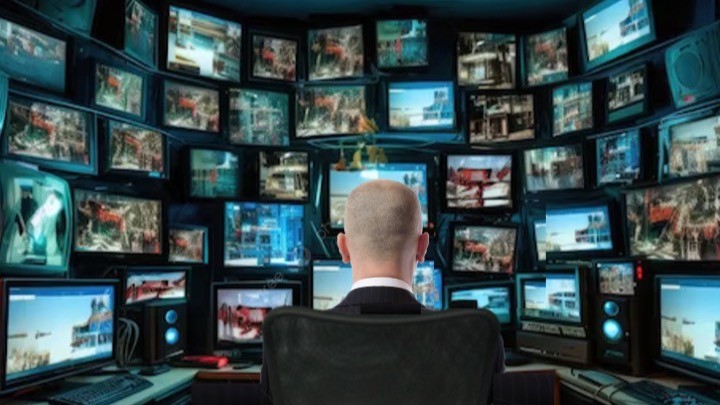
The monitor is one of the most important components of the modern digital workplace. While considerable attention is often given to your computer’s processor speed, software functionality and internet speed, the display remains the primary interface through which information is presented and interpreted. The size, resolution, positioning and technical characteristics of a monitor can influence productivity, visual comfort, cognitive workload and long-term health. As knowledge work increasingly depends on prolonged interaction with digital information, understanding the relationship between monitor design and human performance has become an important aspect of workplace optimisation.
Screen size plays a crucial role in determining how much information can be displayed at one time, how effectively users can interact with it and how comfortably it can be viewed. Larger screens can improve multitasking and reduce the need for excessive scrolling or window switching. Research examining display size and resolution has shown that larger displays frequently improve task performance by increasing the amount of visible information and reducing navigation demands [1][2]. Workers who regularly compare documents, analyse datasets, review complex reports or manage multiple applications often benefit from additional screen space.
However, larger is not always better. Excessively large displays may require substantial head and eye movement, increasing physical effort and potentially contributing to discomfort during prolonged use. The optimal screen size depends on viewing distance, task requirements and workstation configuration. For many office based applications, displays in the 24-to-27-inch range provide an effective balance between screen real estate and ergonomic comfort [2][3]. It’s true that larger monitors, ultrawide displays and multi monitor configurations can offer additional advantages when carefully integrated into the workstation.
An additional consideration that has become increasingly relevant is the relationship between screen size and visual search efficiency. Larger displays can reduce the time required to locate information within complex visual fields, but only when the layout is well organised. Poorly structured interfaces on large screens may increase search time and cognitive load, particularly for novice users [4]. This highlights the importance of interface design and window management practices when using large or multiple displays.
Monitor resolution determines the sharpness and clarity of displayed content. Higher resolutions increase the number of pixels available to represent text and images, resulting in improved detail and readability. Higher pixel densities can produce sharper character edges and reduce visual effort when reading text heavy documents. Improved display quality has been associated with enhanced reading performance and user satisfaction [5].
Resolution alone does not determine usability. Pixel density, operating system scaling, font rendering and viewing distance all influence perceived readability. A 4K display operating without appropriate scaling may present text that is too small for comfortable viewing, particularly for older users. Conversely, effective scaling allows users to benefit from higher image quality while maintaining legibility. The goal is not simply to maximise resolution but to optimise the balance between information density and visual comfort.
Higher resolution displays can also reduce the need for zooming and scrolling. This may lower cognitive workload by allowing users to maintain awareness of a larger information context. In occupations involving spreadsheets, software development, engineering drawings, medical images or scientific publications, the ability to view more content simultaneously can improve efficiency and reduce task interruption. Studies of information rich tasks have shown that increased display resolution and size can reduce task completion time and improve accuracy by supporting better spatial organisation of information [6].
Refresh rate represents the number of times per second that a monitor updates its image (measured in Hertz: Hz). Traditional office displays commonly operate at 60 Hz, whereas modern monitors may operate at 120 Hz, 144 Hz or higher. Although high refresh rates are often associated with gaming, they may also improve perceived smoothness during scrolling, video playback and dynamic content interaction. Research on visual ergonomics suggests that display characteristics influencing flicker perception and motion presentation can affect visual comfort during prolonged computer use [7][8]. For most office tasks, 60 Hz remains adequate, but higher refresh rates may provide a more responsive and comfortable experience for some users.
Ergonomic positioning remains one of the most important determinants of comfort and productivity. Numerous studies have demonstrated that workstation design influences musculoskeletal health, discomfort and work performance [9]. The monitor should normally be positioned directly in front of the user, with the top of the visible screen at or slightly below eye level. Viewing distances between approximately 50 and 75 cm are commonly recommended, although individual preferences and screen size should also be considered [10].
Adjustable monitor stands provide important flexibility by allowing users to modify height, tilt, swivel and viewing angle. Poor monitor positioning can contribute to neck pain, shoulder discomfort and visual fatigue. Ergonomic interventions have consistently been associated with reductions in musculoskeletal symptoms and improvements in workplace comfort [9]. Additional evidence suggests that improper monitor height can significantly increase cervical spine load, particularly when the screen is positioned too low [11]. This reinforces the importance of adjustable stands and correct workstation setup.
Environmental conditions surrounding the monitor are equally important. Excessive glare, reflections and poorly controlled lighting can reduce visibility and increase visual effort. Bright windows positioned directly behind or in front of a display frequently create contrast problems that impair readability. Screen brightness should be adjusted to match ambient lighting conditions. Excessively bright displays can contribute to discomfort, while displays that are too dim may require increased visual effort. Studies of office lighting have shown that glare and luminance imbalance are major contributors to visual fatigue and reduced task performance [12].
The widespread adoption of multiple monitor workstations reflects the increasing complexity of modern knowledge work. Users frequently need simultaneous access to email, documents, spreadsheets, communication platforms, databases and web resources. Studies examining larger and multiple displays have reported improvements in productivity, task completion and user preference when additional screen space is available [1][13][14]. Multiple monitors reduce the need for repeated window switching and allow information to remain continuously visible.
Nevertheless, multiple monitor configurations require careful ergonomic planning. The primary monitor should be positioned directly in front of the user, while secondary displays should be arranged to minimise excessive neck rotation. Failure to do so may increase musculoskeletal strain. An alternative approach is the use of ultrawide monitors, which provide substantial horizontal workspace within a single display. For some users, ultrawide monitors offer many of the advantages of dual monitor systems while simplifying cable management and reducing bezel interruptions. Research comparing dual and ultrawide displays suggests that user preference varies depending on task type and that both configurations can improve productivity when properly implemented [15].
Monitor technology has evolved considerably during the past decade. In Plane Switching (IPS) panels are widely used because they provide good colour reproduction and wide viewing angles. Organic Light Emitting Diode (OLED) displays offer exceptional contrast ratios, deep black levels and rapid response times. Twisted Nematic (TN) panels generally provide lower cost and fast response times but often exhibit narrower viewing angles and reduced colour accuracy. Selection should be guided by task requirements. Colour critical activities such as photography, graphic design and video production benefit from displays with high colour accuracy and consistent image quality.
Curved monitors have also gained popularity. Manufacturers often claim that curved displays improve immersion and reduce peripheral distortion. Evidence suggests that user preference for curved displays may be positive in some applications, particularly when using large or ultrawide screens [16][17]. However, benefits for routine office productivity remain less certain. Individual preference and workstation design frequently determine whether curved displays provide meaningful advantages.
Discussion of monitor use increasingly includes concerns regarding blue light exposure. Blue wavelengths play an important role in regulating circadian rhythms and sleep physiology. Experimental research has demonstrated that evening exposure to light emitting electronic devices can delay circadian timing, suppress melatonin production and negatively influence sleep quality [18]. These findings support recommendations to reduce bright screen exposure before bedtime.
The relationship between blue light and digital eye strain is more complex. Digital eye strain is a multifactorial condition characterised by symptoms including eye fatigue, dryness, blurred vision, headaches and visual discomfort. Comprehensive reviews indicate that prolonged screen use, reduced blink rate, accommodative stress and workstation factors are major contributors [19][20]. Although blue light filtering features are widely available, evidence supporting substantial reductions in eye strain remains limited. Nevertheless, many users report subjective comfort benefits when using low blue light modes, particularly during evening hours.
Regular work habits are equally important. The American Optometric Association recommends the 20 20 20 rule, whereby users look at an object approximately 20 feet away for 20 seconds every 20 minutes. Such practices encourage blinking, reduce accommodative demand and provide brief recovery periods for the visual system [21]. Scheduled breaks, task variation and good workstation ergonomics remain among the most effective strategies for reducing discomfort during prolonged computer use.
Ultimately, the impact of a monitor on productivity extends beyond simple technical specifications. Effective display selection requires consideration of screen size, resolution, pixel density, refresh rate, ergonomics, lighting conditions, monitor technology and individual user needs. Organisations investing in appropriate monitor configurations may achieve gains in productivity, employee comfort and long-term wellbeing. As hybrid working and digital knowledge work continue to expand, the monitor remains a critical but often underappreciated determinant of professional performance.
References

Get our latest news and publications
Sign up to our news letterResources
Social


Contact us
Address
Niche Science & Technology
Unit 26 Falstaff House
Bardolph Road
Richmond TW9 2LH
United Kingdom